When an enterprise buys the Mistral API, four questions come first: who signs the contract, how quota is controlled, whether the data terms will pass review, and how service degrades during an incident. If any one of these rests only on a verbal explanation, rework is likely later.
Mistral's plans are divided into Free mode, Pro, Education, Team, and Enterprise; an Enterprise account must be enabled by contacting the Mistral account team. This article provides a checklist along the procurement process. Prices, quotas, and contract details are governed by the official pages and the signed text.
Note: Mistral, Le Chat, Codestral, and other names are trademarks of their respective owners. This article is a technical procurement guide and does not imply affiliation, agency, or endorsement. Product terms, data policies, and prices may change; refer to the signed contract and official pages.
1. Split the procurement checklist into four blocks
- Contract and settlement: contracting entity, currency, payment method, invoice type; archive the contract, order, payment receipt, and invoice.
- Account and permissions: who owns the enterprise account, how organizations and workspaces are split, who holds administrative rights; keep an organization chart and a key register.
- Quota and cost: monthly usage, overage billing, spending caps, and alerts; keep the budget sheet and usage reports.
- Data and compliance: whether data is used for training, how long it is retained, whether ZDR is available, and data residency; archive the DPA, subprocessor list, and security materials.
If any block has only a verbal promise, procurement is not complete. Compliance and finance processes are usually the slowest, so start them in parallel during the first week.
2. Choose the procurement path first: direct, gateway, or private deployment
| Path | Contract and settlement | Data path | Suitable scenario |
|---|---|---|---|
| Direct Mistral access | Contract with Mistral or its contracting entity; settle according to its bill | Data enters Mistral's service, governed by its DPA | Has overseas payment and compliance capability and needs vendor support |
| Domestic AI gateway | Domestic contract, RMB settlement, and invoices, subject to the platform's pages | Requests are forwarded through the gateway; review the gateway's data terms | Needs consolidated multi-model billing, domestic payment, and invoices |
| Private deployment | Tied to an enterprise contract and defined by deployment scope | Data stays in a self-built environment or private cloud | Data cannot leave the jurisdiction, strong compliance, stable long-term usage |
No path is inherently better. Direct access requires solving cross-border payment, exchange rates, and invoices. A gateway adds a boundary layer, so forwarding and logging rules need confirmation. Private deployment requires accounting for operations and model-update costs.
3. Accounts, organizations, and permissions
Mistral's hierarchy is Enterprise Account › Organization › Workspace. The enterprise account is created by the Mistral team, and administrators can manage multiple organizations; an Admin API Key is available only on the Enterprise plan.
Organization roles fall into three types: Member, Billing, and Admin. Members use the products. Billing manages subscriptions, invoices, payment methods, and usage reports but cannot change organization settings or invite members. Admin holds permissions for settings, members, security, billing, and audit logs. Assign workspace roles on the principle of least privilege.
During procurement, put the following in place:
- At least two organization Admins, with SAML SSO and two-factor authentication enabled.
- Complete domain verification and register with a corporate domain email, not a personal mailbox carrying company business.
- Split production, staging, and development into independent workspaces, each issuing its own keys with expiry dates.
- Grant service accounts least privilege, revoke them immediately when an employee leaves or a project ends, and review audit logs regularly.
4. Quota, rate limits, and cost control
Every plan includes monthly usage that is shared across Studio, API, and Vibe Code and consumed first. After that, pay-as-you-go must be enabled and the balance must be positive; pay-as-you-go is prepaid, so the organization must purchase credit first. When the balance is zero, requests return HTTP 402 and recover after a top-up.
Administrators can set monthly spending caps at both the organization and workspace levels. When a workspace hits its cap, only that workspace pauses until the next billing period. Rate limits are calculated per workspace and include requests per second, tokens per minute, and tokens per month; the values are shown under Admin Panel › API › Limits. When credit reaches 80 percent, administrators and billing contacts receive email reminders.
Cost-control recommendations:
- Use separate workspaces to isolate production, staging, and experiments, each with its own spending cap.
- Enable auto top-up, but set the threshold and top-up amount low to avoid large idle balances.
- Split workspaces by team or customer project so usage reports can attribute cost.
- Route eligible tasks through Batch; the official pricing page describes Batch as billed at half the standard usage rate. For workloads with many repeated prefixes, evaluate caching; official materials describe cached input as cutting cost by up to 90 percent.
- Review the weekly usage split by model and capability, and deal with anomalous models or keys promptly.
5. Billing, invoices, and payment
Billing is managed by the Admin or Billing role. Complete the billing profile and VAT number first, because this information appears on subsequent invoices. Invoices are downloaded as PDFs under Admin Panel › Subscriptions › Billing, distinguishing subscription fees, credit, usage charges, and seat fees.
Pro, Team, and Enterprise are billed at the start of the billing period, while usage charges are issued at the end of the month and offset against credit. Credit deductions include tax, while spending caps are calculated before tax, so it is possible to "run out of credit before reaching the cap." Leave a margin in the budget.
If RMB corporate payment and VAT invoices are required, direct access must handle cross-border payment, exchange rates, and overseas billing; a domestic AI gateway can handle the contract, payment, and invoice, but its data-processing terms need an extra layer of review. Contracts, orders, payment receipts, and invoices should all be archived.
6. Data compliance and EU data residency
Mistral provides a DPA, maintains a subprocessor list in its Trust Center, supports adequacy decisions or SCCs for cross-border transfers, and places the DPA under French law. After service termination, Mistral deletes or returns personal data 30 days after the customer's access ends. These terms should be reviewed by legal and security teams.
Training terms are the easiest to misunderstand. The DPA states that Mistral may use customer data to train models as an independent controller unless the customer has opted out; feedback such as thumbs up or thumbs down, and the associated inputs and outputs, is still used for training even after opting out. The API opt-out toggle is "Anonymous improvement data" under Admin Panel › Privacy, and the Vibe toggle is separate.
ZDR and training opt-out are two separate controls. ZDR is available only on paid plans, requires an application and review each time, covers only supported stateless endpoints, and excludes Labs models. If an enterprise requires data to stay in its own environment, the official pricing page states that Enterprise supports private deployment with data remaining in the customer environment, but the boundary still needs to be written into the contract.
Do not rely on assumptions about data residency. The DPA defines "restricted countries" outside the EEA and the transfer mechanisms but does not promise a hosting region. Confirm in writing during procurement: data region, subprocessors, cross-border basis, deletion evidence, security certifications, and audit reports. Teams in China also need to assess the path for outbound personal information.
7. SLA, support, and degradation
The official pricing page states that Enterprise includes a custom SLA, dedicated support, and private deployment, while Pro provides chat and email support. During procurement, clarify the availability target, incident response and recovery times, incident notification and root-cause reporting, compensation for missed targets, maintenance windows, and escalation paths, and write them into the contract.
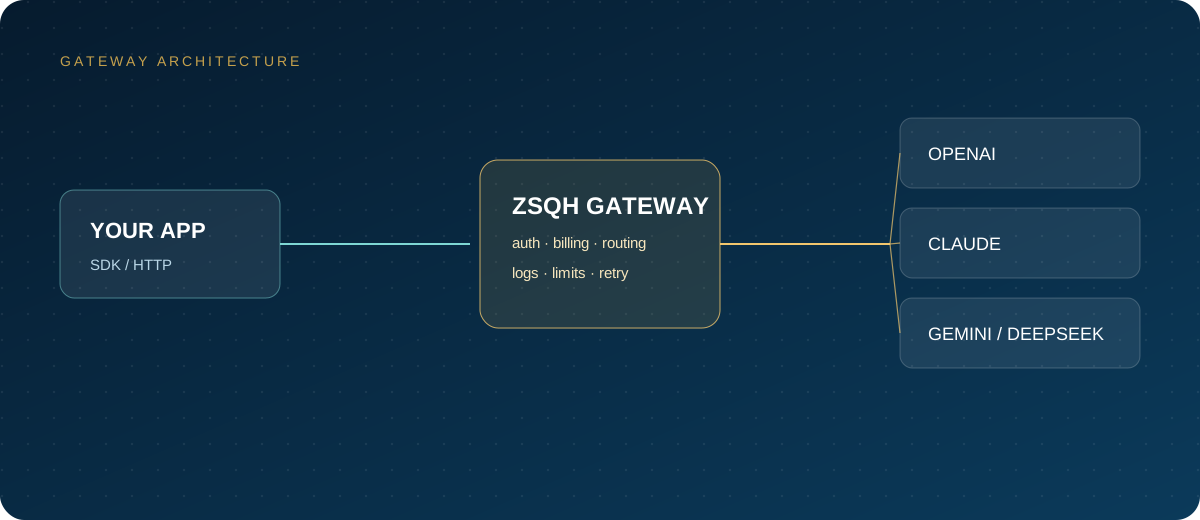
A good SLA never replaces degradation design. Prepare at least one backup channel and make switching a configuration item. The ZSQH AI Gateway provides an OpenAI-compatible interface and can serve as a multi-model backup entry point with a unified key, bill, and model-name mapping. Models and prices are listed on the model pricing page, and an account can be created directly via sign-up.
curl -sS "https://ai.zhongshangqihang.com/v1/chat/completions" \
  -H "Authorization: Bearer YOUR_API_KEY" \
  -H "Content-Type: application/json" \
  -d '{
    "model": "mistral-small-latest",
    "messages": [{"role": "user", "content": "In one sentence, what should an enterprise confirm first when procuring an API?"}],
    "max_tokens": 128
  }' | python3 -m json.tool
For direct access, replace the address with https://api.mistral.ai/v1, replace the key with a Mistral key, and use a model name from the platform's list. Production code should handle 401, 402, 429, and 5xx separately: 401 means checking the key and permissions, 402 means checking the balance and pay-as-you-go toggle, 429 means backing off and retrying, and 5xx means triggering the backup channel.
8. Pilot and launch acceptance
- Define the pilot scenario, success metrics, and data classification, and list the data that must never enter a third-party API.
- Complete the terms review: DPA, subprocessors, cross-border transfer, training opt-out, ZDR, and deletion mechanisms.
- Open the enterprise account and organization, complete domain verification, SSO, and role assignment.
- Split workspaces by production, staging, and development, and set spending caps, rate limits, and key expiry dates.
- Run real tasks for 2 to 4 weeks, recording quality, p50/p95 latency, error rate, token consumption, and rework rate.
- Rehearse quota exhaustion, 429, 5xx, and backup-channel switching, and confirm that the business accepts the degraded experience.
- Complete one real payment and invoice, and verify the currency, tax amount, billing entity, and reimbursement process.
- Complete the security review and archive the materials, naming the quarterly reviewer and the date for the next terms review.
9. Frequently asked questions
Does Mistral Enterprise require contacting sales?
An enterprise account must be created by the Mistral account team and cannot be fully self-served. Ordinary teams can start with Free mode or a paid subscription to validate usage and compliance requirements before negotiating a contract.
Is enterprise data always excluded from training?
The official pricing page states that Enterprise data stays in the customer environment, but training and retention rules are still governed by the DPA and contract. Before signing, clarify the scope of the training opt-out, whether feedback data is an exception, and the private deployment boundary.
Can I get a Chinese VAT invoice?
Direct Mistral access settles according to its bill and currency, and invoices and tax follow that bill. Teams that need RMB corporate payment and VAT invoices can contract through a domestic AI gateway, subject to the platform's pages.
Does ZDR cover every endpoint?
No. ZDR is available only on paid plans, requires an application and review, covers only supported stateless endpoints, and excludes stateful services such as Agents, Conversations, and files, as well as Labs models. It is a separate control from the training opt-out.
How can I avoid bill overruns?
Control the funding ceiling first with prepaid credit, then set monthly spending caps at the organization and workspace levels, enable the 80 percent reminder, and monitor 402 responses and usage anomalies. Set auto top-up thresholds low to avoid a large balance buildup.
Related reading: