"Ask a question in one sentence and get the data" sounds simple, but production raises many problems: inconsistent business definitions, complex schemas, model-generated SQL that queries the wrong thing, permissions that must not be exceeded, and results that must be explainable. The core of a data analysis AI API is not making the model "write SQL"; it is mapping natural-language questions reliably onto trusted data and reports.
This article presents an enterprise implementation plan covering architecture, schema design, prompts, validation, permissions, accuracy testing, and cost.
Note: Databases, BI platforms, and model interfaces differ. This article uses the common pattern of "a read-only database plus an OpenAI-compatible chat endpoint"; models and prices are subject to the in-site model pricing.
1. Overall architecture
Break the pipeline into observable steps:
Natural-language question
  → Intent recognition (query / explain / clarify)
  → Schema retrieval (tables, fields, metrics, examples)
  → SQL generation
  → Static validation + permission injection
  → Read-only execution (timeout, row limit)
  → Result validation
  → Chart configuration + written interpretation
Key principles:
- The model never connects directly to the production database; only to a read replica or data warehouse.
- Permissions are injected server-side; do not rely on prompt constraints.
- Log every step: question, retrieved tables, generated SQL, execution time, rows returned.
- On failure, give the user an understandable explanation, not a raw database error.
2. Schema design matters more than the model
The model does not know how your company defines "active user" or "valid order". Make this knowledge explicit.
Maintain a "schema card" for each table:
| Field | Example |
|---|---|
| Table name | dwd_order |
| Business meaning | Order detail; one row per order item |
| Primary key / grain | order_id + sku_id |
| Common fields | Order time, payment amount, order status, channel |
| Metric definition | Payment amount = amount actually paid, excluding refunds |
| Related tables | User table, product table, channel table |
| Prohibited usage | Do not use create_time in place of payment time |
| Example question | Payment amount by channel over the last 30 days |
In addition to the cards, prepare:
- Business synonyms: GMV, transaction value, and revenue refer to the same metric.
- A metric dictionary: definition, numerator and denominator, time basis, data latency.
- A small set of "question → SQL" examples covering common queries.
- Join paths between tables so the model does not guess join keys.
Schema retrieval can combine keyword and vector recall, placing the 5–10 most relevant tables and metric definitions into the context. Stuffing the full schema in is both expensive and distracting.
3. How to write the prompt
The goal of the prompt is to constrain, not to encourage creativity. A usable template:
You are an enterprise data analysis assistant. Using the given schema and metric definitions, convert the user's question into SQL.
Requirements:
1. Generate exactly one SELECT statement. Never generate INSERT/UPDATE/DELETE/DDL.
2. Use only the provided tables and fields; do not invent fields.
3. Metric definitions follow the metric dictionary, and must be stated in assumptions.
4. If the time range is unclear, default to the last 30 days and state the assumption.
5. If the question is ambiguous, return clarifying_question first; do not guess.
6. Output JSON: {"sql": "", "assumptions": [], "clarifying_question": null}
Details:
- Ask the model to output assumptions so business users can check the definitions.
- Explicitly requiring "clarify before querying" significantly reduces irrelevant answers.
- Provide formulas for year-over-year, month-over-month, and share calculations instead of letting the model improvise.
- In multi-turn conversations, keep the previous turn's metrics and time range, but do not keep stale SQL.
4. SQL validation and execution guardrails
Generating SQL is only the beginning. Before execution, perform at least five checks:
- Syntax parsing: parse with a SQL parser and reject multiple statements.
- Statement type: allow only SELECT; block writes and stored procedures.
- Object allowlist: tables and fields must be on the authorized list.
- Permission injection: automatically append filters for tenant, department, region, and similar scopes.
- Cost control: add time ranges, LIMIT, timeouts, and scan-volume caps.
At the execution layer, use a dedicated read-only account, connect to a read replica, and set:
- Query timeout, for example 30 seconds.
- Maximum rows returned, for example 1,000.
- Run EXPLAIN first for large-table queries to estimate scan volume.
- Retry at most 1–2 times, feeding database errors back to the model for correction.
- Cache results for identical questions; the cache key includes the user's permission scope.
5. Permissions: the model cannot replace the permission system
The most common incident in data Q&A is a user seeing data they should not see. The right approach is to reuse the BI/warehouse permission model:
- Dataset level: which tables a user can access.
- Row level: filter by tenant, department, region.
- Column level: mask or hide fields such as phone numbers, ID numbers, and cost prices.
- Metric level: authorize sensitive metrics separately.
- Session level: clear context and cache when the user switches.
The model is responsible only for generating query intent. The server enforces permissions by injecting them outside the SQL or at the view layer. Log the original question, final SQL, executor, and rows returned for auditing. Authorize export separately so that "can query" does not mean "can download in bulk".
6. From results to charts
A query result is not a report. Have the model output "chart configuration plus a written conclusion" rather than generating an image directly:
| Data shape | Recommended chart |
|---|---|
| Time series | Line chart |
| Category comparison | Bar chart |
| Share | Pie chart or stacked bar chart |
| Correlation | Scatter plot |
| Single metric | Metric card |
The written conclusion should include: definition, time range, key numbers, and anomalies. For example: "Payment amount fell 8% month over month in the last 30 days, driven mainly by the East China channel," with clickable detail. Do not stop at "the data looks good".
7. How to measure accuracy
Prepare 100–300 real business questions, stratified by difficulty:
- Single-table queries and aggregations.
- Multi-table joins.
- Year-over-year, month-over-month, and share calculations.
- Ambiguous questions that require clarification.
- Questions with no data or no permission.
Evaluate not just whether the SQL looks similar, but whether the execution result matches. Record:
| Metric | Description |
|---|---|
| Execution accuracy | Result matches the human reference answer |
| Clarification rate | Whether ambiguous questions trigger the right follow-up |
| Unauthorized-request block rate | Whether requests without permission are rejected |
| Failure explainability | Whether errors are converted into user-friendly language |
| Mean latency | From question to chart |
Run a regression weekly, and always rerun after model or schema changes. Keep a "human confirms SQL" mode during the initial launch; enable automatic execution only after it stabilizes.
8. Cost and performance
The cost of data analysis AI comes mainly from three areas: schema recall, SQL generation, and result interpretation.
- Use vector retrieval to reduce context; include only relevant tables.
- Use a small model for intent recognition and simple queries; use a strong model for complex queries.
- Cache frequent questions and results for the same permission scope.
- Pass only aggregated data to result interpretation, not full detail rows.
- Summarize long table structures instead of sending the full DDL every time.
Estimation formula:
Cost per query =
  schema context tokens × input price
+ output tokens for SQL generation × output price
+ result interpretation tokens × unit price
+ database execution cost
Check the in-site model pricing for unit prices; database cost must be calculated separately, especially for large table scans.
9. Common failures and handling
| Symptom | Common cause | Handling |
|---|---|---|
| Field does not exist | Schema not retrieved or model invented it | Allowlist validation + feed the error back and retry |
| Inconsistent definitions | Missing metric definitions | Add a metric dictionary; require assumptions |
| Join fan-out | Wrong join key or grain | Provide join paths; validate row counts |
| Wrong time range | Unclear time zone or defaults | Standardize time zones; define default ranges |
| Permission bypass | Relying only on prompt constraints | Enforce filters server-side |
| Irrelevant answer | Ambiguous question | Clarify before querying |
FAQ
Will data analysis AI replace BI?
No. It is better suited to ad hoc questions, quick data retrieval, and explaining reports. Complex fixed reports should remain in BI.
Do I need to give the model the entire database schema?
No. Use schema retrieval to include only relevant tables and metrics. This saves cost and reduces misuse.
Can model-generated SQL be executed directly?
Not advisable. It must pass syntax, allowlist, permission, and cost checks, and it must run on a read replica.
What accuracy can be achieved?
It depends on schema quality, question complexity, and how you measure. Establish a baseline with real questions, then improve weekly; do not treat demo questions as representative.
How should a small team start?
Pick one subject area, such as sales or operations, organize 10–20 tables and a metric dictionary, build an evaluation set of 50 questions, then decide whether to expand.
Next steps
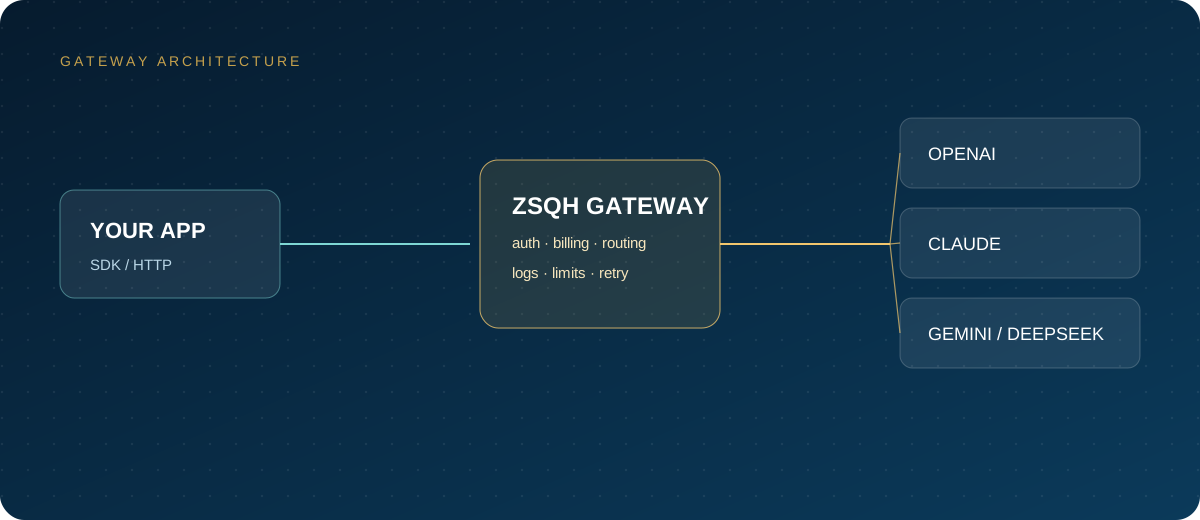
Eighty percent of success in data analysis AI depends on schema, metric definitions, and permission design, not model parameters. Start with a POC in one subject area and close the loop from question to validation, execution, charting, and explanation before expanding. If you need a unified model entry point and usage management, you can register for the ZSQH AI Gateway; models and prices are subject to model pricing.
Related reading: