When enterprises procure the MiniMax API, the easiest mistake is to look only at the top-up amount and the unit price. What really determines long-term viability is the account entity, quota allocation, rate limits, data terms, invoices, SLA, and exit plan.
The MiniMax domestic open platform offers pay-as-you-go billing, resource packs, and M Plan. M Plan is positioned for individual interactive development, while production is better served by pay-as-you-go. This article gives the checklist in the order "define the boundary first, validate the quota second, sign the contract last", without fixing unit prices.
Note: MiniMax is a trademark of its owner. This article uses publicly available documentation as of October 2026. Quotas, prices, invoicing, and data terms are subject to MiniMax's official pages and the in-site model pricing.
1. Define the Procurement Boundary: Which Service Are You Buying?
MiniMax offers more than one interface and plan, so the purchase order must state which category is being bought:
- Pay-as-you-go: charged for what you use, suitable for production and fluctuating volume.
- Resource packs: prepaid speech and video quota, suitable when usage is predictable, expiring to zero.
- M Plan: subscription-based, positioned for individual interactive development, not suitable as the main enterprise production channel.
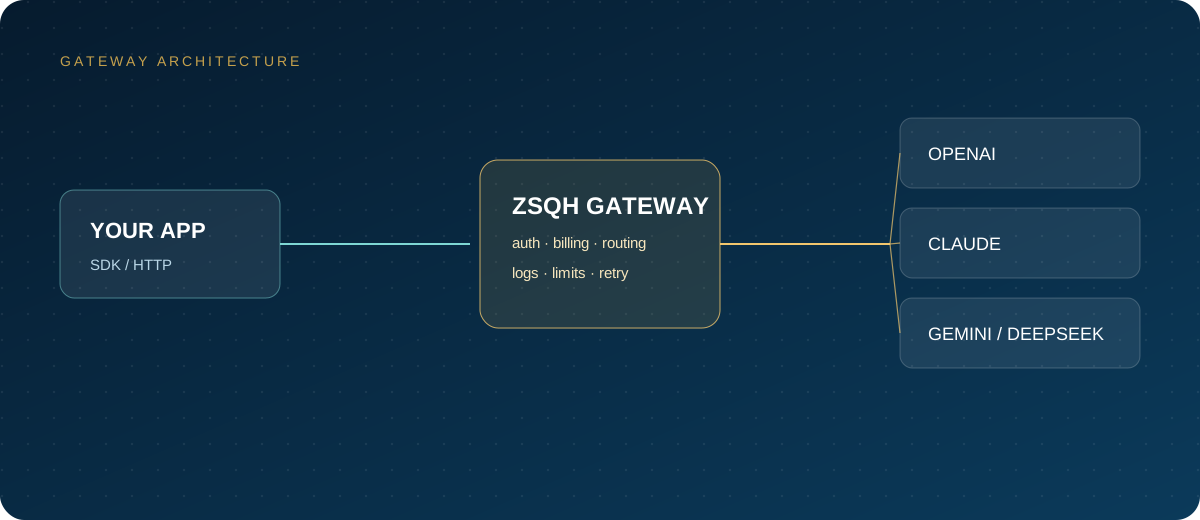
- Domestic AI gateway: a unified entry point and bill, suitable for teams using multiple models.
Quoting all four together guarantees that the books will not reconcile later. Define the primary channel and the backup channel first, then discuss price. Also confirm whether the domestic or international site applies: pricing, entity, invoicing, and rate-limit tables may all differ.
2. Quota and Rate Limits: Turn "Enough" into Numbers
Quota is not a single total. Look at at least four dimensions: account balance, RPM, TPM, and concurrency or queueing.
The domestic rate-limit page lists free and topped-up users separately. Taking the current main text model as an example, free users get 20 RPM and 1 million TPM, while topped-up users get 200 RPM and 10 million TPM; historical models may be higher. Different models and interfaces differ, and values are adjusted over time, so archive screenshots at procurement time.
Rate limits are calculated per account and shared between the primary account and sub-accounts. When higher limits are needed, the official path is to contact api@minimax.io; approval may take 3–5 business days. Do not wait until launch day to apply.
Error codes also belong in monitoring. 1002 means rate limiting, 1008 means insufficient balance, and 2056 means the usage limit for a 5-hour window was exceeded. Monitoring only HTTP 5xx will miss these business errors.
3. Accounts, Sub-Accounts, and Permissions
The official recommendation is for enterprises to use a primary account plus sub-accounts. The number of sub-accounts is currently unrestricted; they share entitlements and rate limits with the primary account, API consumption is settled centrally, and sub-accounts cannot view or manage payments.
- Register with a corporate domain email and complete enterprise identity verification.
- Keep the primary account for administration only; use sub-accounts for daily calls.
- Split keys by environment so production, testing, and development do not share one.
- Label each key with an owner, purpose, and creation time.
- Revoke keys immediately when an employee leaves or a contractor engagement ends.
- Audit accounts and keys quarterly.
Member roles and key permissions follow the console; the principles are least privilege, traceability, and fast revocation.
4. Billing, Payment, and Invoicing
The domestic platform prices in RMB, and pay-as-you-go charges are deducted from the balance. Top-ups support online payment and corporate bank transfer. Corporate transfer requires the remitting party's account name to match the verified entity, and funds usually arrive within 10 minutes to 1 hour.
There are three invoicing rules:
- The invoice title must match the verified entity; an individual account cannot issue enterprise invoices and must first change to enterprise verification.
- Pay-as-you-go invoices are issued for consumed amounts minus already-invoiced amounts, not for the top-up amount.
- Portions offset by vouchers are usually not invoiceable; resource pack balances expire to zero, so distinguish "balance" from "resource pack quota".
Official documentation does not make a uniform commitment on refunds, unused balances, and resource packs, so obtain written clarification before paying. When using a gateway, RMB top-up, invoice types, and invoicing cycles follow the in-site terms; do not assume they match direct access.
5. Data and Compliance: Turn Verbal Promises into Annexes
Data terms are the easiest thing to skip in the rush to "get started". The MiniMax Open Platform Privacy Policy, effective October 15, 2026, states that API calls collect processing data, authentication information, Group ID, API Key, and UserID, used for computation, generating returned data, and handling problem feedback; data is processed on cloud servers.
Enterprises should state six questions clearly in the contract or a data processing annex:
- Are inputs and outputs retained, for how long, and how are they deleted?
- Are they used for training or model improvement, and can this be disabled?
- In which region is data stored, and does it cross borders?
- Which sub-processors are involved, and will changes be announced in advance?
- What are the notification deadline and handling process for security incidents?
- Can a data processing agreement be signed, and how is liability allocated?
The official user agreement requires prominent labeling of AI-generated text, images, audio, video, and other content; when generated content is published externally, this must be written into the compliance process. Desensitize customer contracts, code, personal information, and financial data first; do not put real customer data in the free tier or test environments.
6. SLA and Support: Standard Terms Are Not an SLA
The standard user agreement provides services "as is" and disclaims liability for interruptions caused by force majeure, carrier failures, and cybersecurity incidents; public documentation does not show an explicit availability percentage or compensation clause.
If the business needs an SLA, the right approach is:
- Raise availability, response times, and compensation with the vendor's sales team and write them into the contract.
- Confirm support channels and escalation paths; the official email is api@minimax.io.
- Allow 3–5 business days for rate-limit increases.
- Build your own monitoring and a backup channel; do not stake continuity on a single vendor.
- Drill the switch regularly and record switch time and failure rate.
Not having an SLA does not mean you cannot procure; it means you must supply the availability engineering yourself.
7. Pilot and Launch Acceptance
Run a two-week pilot, and do not accept based on "a few chats felt fine".
- Draw 30–50 real tasks covering simple, medium, and complex levels.
- Load-test RPM, TPM, and concurrency at 1.5 times peak, recording success rate, p50/p95 latency, rate limits, and rework rate.
- Validate key capabilities such as long context, tool calling, and JSON output, and check the bill for input, output, cache, retries, and failed tasks.
- Walk through top-up, invoicing, balance alerts, and corporate payment once.
- Run a primary-channel failure drill and confirm the backup channel can take over.
- After acceptance, shift 10% of traffic first, then 50%, then all.
8. Cost Monitoring: Break Costs Down by Project, Model, and Failed Retries
MiniMax bills by tokens, character count, duration, number of images, voice, or number of calls. Language models distinguish input, output, and cache reads and writes, and priority service is billed at 1.5 times the standard rate. Failed videos or content that hits safety review are not charged points, but retries and input materials may still generate cost.
Monitoring needs at least five dimensions:
- Project or business line: prevent one experiment from sinking the whole group.
- Model or interface: separate text, speech, video, and image.
- Token structure: input, output, cache hits.
- Failures and retries: error codes, retry counts, duplicate charges.
- Resource packs: eligible models, remaining quota, expiry date.
The script below writes calls on both the primary and backup channels to JSONL so costs can be reconciled by project and route:
import json
import os
import time
from openai import OpenAI

routes = [
    ("minimax", OpenAI(
        api_key=os.environ["MINIMAX_API_KEY"],
        base_url="https://api.minimax.cn/v1",
        timeout=60,
    ), "your MiniMax model name"),
    ("gateway", OpenAI(
        api_key=os.environ["ZSQH_API_KEY"],
        base_url="https://ai.zhongshangqihang.com/v1",
        timeout=60,
    ), "your backup model name"),
]

def chat(project: str, prompt: str) -> dict:
    rows = []
    for name, client, model in routes:
        start = time.time()
        try:
            resp = client.chat.completions.create(
                model=model,
                messages=[{"role": "user", "content": prompt}],
                max_tokens=512,
            )
            rows.append({
                "project": project,
                "route": name,
                "model": model,
                "status": "ok",
                "input": resp.usage.prompt_tokens,
                "output": resp.usage.completion_tokens,
                "latency_ms": int((time.time() - start) * 1000),
            })
            break
        except Exception as exc:
            rows.append({
                "project": project,
                "route": name,
                "model": model,
                "status": "error",
                "error": type(exc).__name__,
                "latency_ms": int((time.time() - start) * 1000),
            })
    with open("minimax-cost.jsonl", "a", encoding="utf-8") as f:
        for row in rows:
            f.write(json.dumps(row, ensure_ascii=False) + "\n")
    return rows[-1]

print(chat("support-summary", "Compress this conversation into three points"))
Model names follow model pricing; do not put placeholders into production. The backup channel must be load-tested too; never assume the switch will succeed.
9. Procurement Checklist Summary
| Module | What to confirm | Deliverable or acceptance |
|---|---|---|
| Entity and verification | Enterprise identity, administrator, sub-accounts | Verification screenshots, account ledger |
| Quota and rate limits | Balance, RPM, TPM, concurrency, increase lead time | Budget sheet, load-test report |
| Billing and invoicing | Billing items, pack expiry, invoicing basis | Quotation, sample invoice |
| Data and compliance | Retention, training, cross-border, sub-processors | Privacy terms, data processing agreement |
| Permissions and security | Keys split by environment, least privilege, revocation | Key list, rotation records |
| SLA and exit | Availability, response, compensation, backup channel | Contract clauses, drill records |
This table can be attached directly to a procurement request. Any item confirmed only verbally is likely to cause rework later.
FAQ
Must enterprise procurement use a corporate account?
Not necessarily, but corporate payment is advisable when company data and reimbursement are involved. Corporate bank transfer is available only to enterprise users, and the remitting party's account name must match the verified entity.
Can I get an enterprise invoice after topping up?
Yes, but the invoice title must match the verified entity; an individual account must complete enterprise verification first. Pay-as-you-go is invoiced on consumed amounts, not on the top-up amount.
Do sub-accounts share quota?
Yes. Official documentation states that sub-accounts share usage entitlements and rate limits with the primary account, API consumption is settled centrally, and sub-accounts cannot view or manage payments.
Does the standard contract include an SLA?
The public standard user agreement provides services "as is" and disclaims liability for several kinds of interruption; public documentation does not show an explicit availability percentage or compensation clause. If you need an SLA, negotiate a separate contract.
How do I control costs?
Monitor across five dimensions: project, model, tokens, failed retries, and resource packs. Reduce input and output first, then address caching and retries, and only then consider changing vendors.
Next Steps
Run real tasks through a small pay-as-you-go top-up first, then decide the procurement scale. You can create a test key on the ZSQH AI Gateway to manage multiple models and bills in one place; models, prices, and availability follow model pricing.
Related reading: