Kling is a widely used video generation model, suited to advertising, e-commerce, short video, and storyboard previews. Its API is typically asynchronous and task-based, which makes it different from calling a text model.
This guide explains how to approach Kling API integration, what to test before production, and the pitfalls that commonly appear when video generation moves from a demo to a real workflow.
Note: Kling is a trademark of its owner. This article reflects common practices as of October 2026; interfaces and prices are subject to official or in-site documentation.
1. What Kling API Is Good For
- Product showcase videos.
- Advertising and short-video assets.
- Storyboards and concept films.
- Social media content.
- Game and animation previsualization.
These use cases share a pattern: short clips, controlled scenes, and a need to iterate quickly. Video generation is less predictable than text generation, so it works best when a person can review and select among several outputs rather than when a single result must be perfect on the first attempt.
2. Integration Shape
The common flow is:
Authenticate → Submit generation task → Task ID → Poll → Success → Download video
Keep the following in mind:
- Tasks may queue, so you cannot wait synchronously.
- Parameters include duration, resolution, aspect ratio, and reference images.
- Result URLs may expire.
- You must handle failures and moderation rejections.
Build the integration as a job system. Store the task ID, the request parameters, and the submission time as soon as the API returns them. Poll with backoff instead of a tight loop, and download the finished video to your own storage before the result URL expires. If a request times out, check the task status before resubmitting; otherwise you may pay twice for the same clip.
3. Getting Access
Official Kling
Register on the Kling open platform, create a key or credential, and call the API according to the official documentation. Some interfaces use AK/SK signing or JWT rather than a simple Bearer token, so read the authentication section carefully before writing client code.
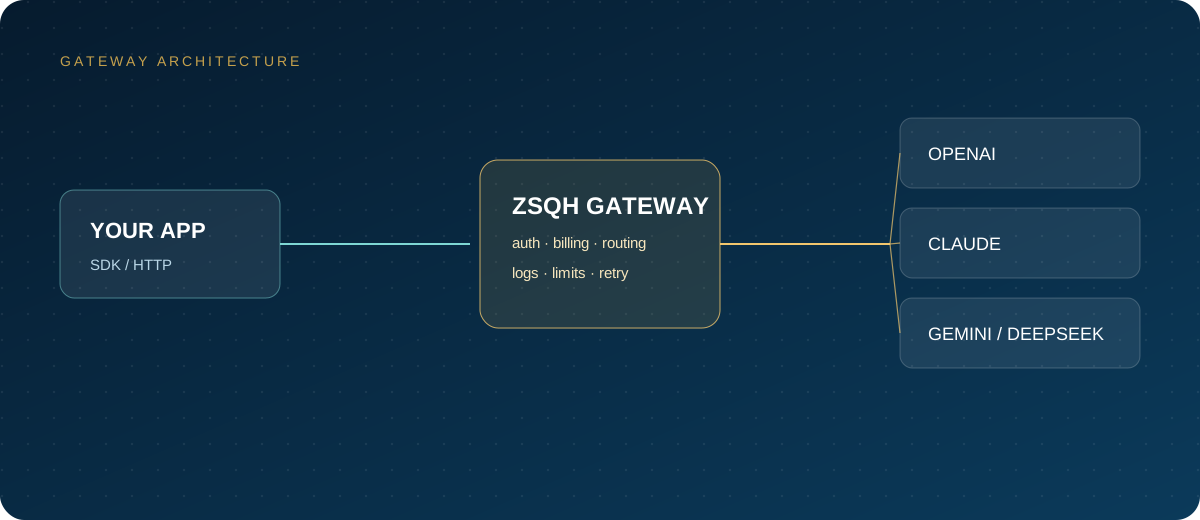
ZSQH AI Gateway
First confirm whether the gateway has enabled a video channel and which parameters and callbacks it supports. An OpenAI-compatible text endpoint does not necessarily work for video tasks.
- Register for the ZSQH AI Gateway.
- Check the model pricing page for Kling or other video models.
- Create a key and run a small test.
- Submit tasks according to the in-site documentation.
4. Test Checklist
- Authentication passes.
- A task with the shortest duration and lowest resolution succeeds.
- The task ID and polling endpoint behave as documented.
- Failure reasons are readable.
- The result URL stays valid long enough to download.
- Billing matches expectations.
- Moderation triggers are understood.
Run this checklist in a staging account before connecting the API to customer-facing workflows. A successful test should include a deliberate failure case, such as an unsupported aspect ratio, so you know what the error response looks like.
5. Cost and Stability
Cost per clip =
  duration × unit price
+ failed retries
+ storage and bandwidth
Video tasks usually fail more often than text requests, so production systems need to plan for it:
- Set timeouts and a maximum retry count.
- Record task IDs to avoid duplicate charges.
- Submit in batches and control concurrency.
- Monitor queue time and success rate.
Track cost per accepted clip, not cost per API call. That metric includes failed generations and gives a more honest picture of unit economics. If a particular prompt style or duration has a low success rate, fix the input instead of simply retrying more.
6. Compliance Risks
- Copyright, likeness, and trademark issues.
- Content moderation policies.
- False advertising and news authenticity.
- Sensitive data in uploaded assets.
- The scope of commercial usage rights.
Generated video can resemble existing footage, a real person, or a brand asset without meaning to. For commercial work, review the output before publication and keep records of the prompts and source images. For news, finance, and medical content, do not present generated footage as real.
FAQ
Is the Kling API OpenAI compatible?
Usually not. Video is a task-based interface and needs separate adaptation. Text compatibility does not imply video compatibility.
Is access stable from mainland China?
Kling is a domestic platform, so access is generally stable. Confirm the current situation with the official platform or your gateway.
Are failed generations charged?
It depends on the platform rules. Confirm the billing policy for failures and moderation rejections before submitting a large batch.
Can I use reference images?
Most video models support reference images or a first frame. Check the official documentation for the exact parameters and limits.
Next Steps
First confirm that your account or gateway supports Kling video, then run one task at the lowest configuration. If you need a unified entry point, review the model list and model pricing for the ZSQH AI Gateway.
Related reading: